How to Stay Connected During Internet Shutdowns: A Practical Survival Guide

My name is Ronnie & a fellow geek like you😎. I am passionately tech curious.
I blog, tweet, write, code, vlog, discuss and eat anything about tech.
😍 Feel Free To Connect 😍
Internet shutdowns are no longer rare events. From election periods and protests to infrastructure failures and policy decisions, millions of people, especially in Africa, experience a sudden loss of internet access every year. For students, entrepreneurs, journalists, developers, activists, and everyday citizens, this can mean lost income, missed deadlines, disrupted education, and broken communication.
Internet shutdowns come with a massive and measurable economic cost. In 2024 alone, global internet disruptions cost the world economy an estimated $7.69 billion, with Africa accounting for about $1.56 billion of that loss in a single year. These losses are not abstract; they translate into stalled mobile money transactions, halted e-commerce, disrupted logistics, unpaid freelancers, and paralyzed small businesses.
For example, a five-day nationwide shutdown in Tanzania was estimated to have cost the economy over $72 million, with continued restrictions on major platforms pushing total losses beyond $200 million. In countries where millions rely on mobile internet for daily income, even a single day offline can erase weeks of progress.
Shutdowns also damage investor confidence, reduce tax revenues, and slow digital transformation, making them economically self-defeating policies. In short, when the internet goes dark, productivity collapses, hurting ordinary citizens far more than the problems shutdowns claim to solve.
This guide will keep you informed, productive, and connected during internet shutdowns. It focuses on realistic solutions that work in low‑resource environments, with special relevance to countries like Uganda and across Africa.
Ohh.. this is gonna be a long read.. So buckle up....
What Is an Internet Shutdown?
An internet shutdown occurs when governments or service providers intentionally disrupt access to the internet or specific online services (such as social media, messaging apps, or mobile data). Shutdowns may be:
- Total (no internet access at all)
- Partial (social media or specific platforms blocked)
- Bandwidth throttling (Internet is extremely slow)

According to global digital rights organizations, Africa consistently ranks among the regions most affected by repeated shutdowns, often during elections or periods of civil unrest.
Why Internet Shutdown Preparedness Matters
Preparing for internet shutdowns is not about paranoia, it’s about digital resilience.
Internet disruptions can affect:
- 📚 Students (online learning, research, submissions)
- 💼 Businesses & freelancers (clients, payments, deliveries)
- 📰 Journalists & civil society (information flow, safety)
- 🏥 Healthcare & emergency response
- 👨🏽💻 Developers & tech teams (deployments, collaboration)
Being prepared helps you stay productive, safe, and connected, even under restrictions.
How a Total Internet Shutdown Is Enforced
A total internet shutdown is a deliberate and coordinated action carried out through a country’s telecommunications infrastructure. It is not caused by device settings or user behavior, but by centralized controls at the network level.
First, governments issue directives to internet service providers and mobile network operators, often through telecom regulators or security agencies. These orders require operators to suspend data services, sometimes under confidentiality rules that prevent public explanation.
Next, operators disable internet access at the core network level. Mobile data services (2G, 3G, 4G, and 5G) are centrally managed, so shutting down gateways and packet-routing systems instantly cuts off internet access nationwide, while voice calls and SMS may continue to function.
In many cases, authorities also shut down or restrict international internet gateways, the points where a country connects to the global internet via submarine cables, cross-border fiber, or satellite links. By withdrawing or blocking routing announcements, the country becomes digitally isolated from the rest of the world.
Some shutdowns rely on DNS and IP-level blocking, where internet providers block access to major cloud services or blackhole large ranges of IP addresses. This can effectively break most online services even if limited connectivity remains.

More advanced shutdowns use Deep Packet Inspection (DPI) technology to identify and block specific types of traffic, such as VPNs, encrypted messaging, or social media platforms. DPI allows selective filtering while maintaining limited access for government or critical services.
In extreme situations, shutdowns are reinforced through physical infrastructure control, including power cuts to telecom towers, disabling base stations in targeted regions, or restricting fuel supplies for backup generators.
Because total shutdowns occur at centralized control points in the network, they are extremely difficult for individual users to bypass. This is why common tools like VPNs often fail, and why alternatives such as satellite internet, mesh networks, and offline-first communication tools become essential during prolonged blackouts.
1. Prepare Before the Shutdown Happens
A. Download Critical Information for Offline Use
Before a shutdown occurs, make it a habit to:
- Download important documents (PDFs, notes, contracts)
- Save webpages for offline reading
- Sync emails and calendars
Recommended Tools:
- Pocket – Save articles offline
- Google Drive Offline – Access docs without internet
- Notion Offline Mode – For notes and task management
- Wikipedia Offline (Kiwix) – Access massive knowledge bases
B. Enable Offline Maps and Navigation
During shutdowns, even basic navigation can be affected.
- Download city and country maps in advance
- Save key locations (home, hospital, police, offices)
Apps:
- Google Maps (Offline Maps)
- Maps.me
- Organic Maps
2. Use Alternative Communication Channels
A. SMS and USSD Are Still Powerful
Even during internet shutdowns, SMS and USSD often remain active.
Use them for:
- Banking (Mobile Money USSD codes)
- Emergency communication
- Community alerts
Tip: Maintain a contact list with key phone numbers saved offline.
B. Offline Messaging via Bluetooth & Wi‑Fi Direct
When the internet is unavailable, device‑to‑device communication still works.
Offline Messaging Apps:
- Bridgefy – Bluetooth mesh messaging
- Briar – Secure peer‑to‑peer messaging (activists, journalists)
- FireChat – Local Wi‑Fi and Bluetooth chat
These apps are useful in crowded areas, campuses, or communities. I will explore more on these down... (Just continue reading)
3. Use VPNs and Circumvention Tools (When Legal)
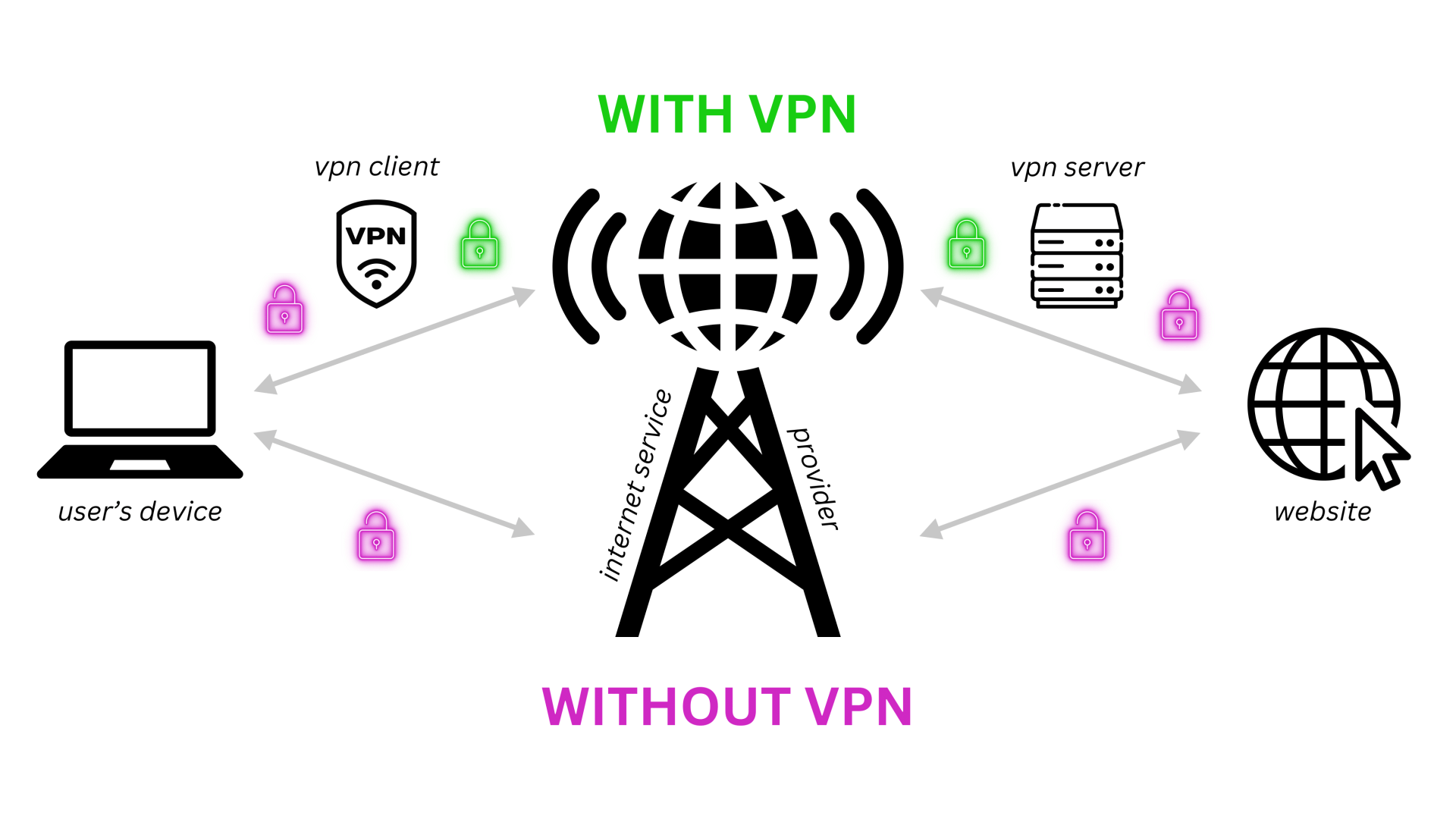
In some cases, shutdowns are partial, blocking social media or specific websites.
A Virtual Private Network (VPN) can sometimes help bypass restrictions by routing traffic through another country.
Popular VPNs:
- ProtonVPN
- Psiphon
- Windscribe
- TunnelBear
⚠️ Important Note: Always understand the local laws and risks associated with VPN usage in your country.
4. Build a Local Information Network
A. Community WhatsApp → SMS Bridges
Before shutdowns, communities can:
- Assign coordinators
- Share updates via SMS trees
- Use radio + SMS for information verification
B. Use Radio and Community Media
Radio remains one of the most resilient communication tools.
Tips:
- Own a small battery‑powered or solar radio
- Know trusted local stations
- Cross‑check information to avoid misinformation
5. Stay Productive Offline
A. Offline‑First Productivity Tools
You can still work without the internet.
Tools:
- LibreOffice / Microsoft Office (Offline)
- VS Code (Local development)
- Obsidian (Markdown notes)
- Jupyter Notebooks (Offline data science)
B. Queue Work for Later Syncing
Prepare tasks that can be synced once the internet returns:
- Write drafts
- Code features
- Prepare designs
- Record videos
This ensures zero downtime.
6. Alternative Internet Access Options During Shutdowns
When traditional mobile data and ISPs are shut down, alternative connectivity methods can sometimes keep you online, especially for critical work.
A. Satellite Internet (Including Starlink)
Satellite internet bypasses local terrestrial networks entirely, making it one of the most resilient options during national shutdowns.
Options:
- Starlink – Low‑Earth‑Orbit satellite internet with relatively high speeds and low latency
- Viasat / HughesNet – Traditional satellite providers (availability varies by region)
Pros:
- Independent of local ISPs
- Works during nationwide shutdowns
- Suitable for businesses, newsrooms, NGOs, and remote teams
Cons:
- Expensive equipment and subscriptions
- Requires clear sky view and power supply
- Regulatory restrictions may apply in some countries
Tip: For organizations, shared Starlink hubs can serve entire offices or community spaces.
B. International SIM Cards & eSIMs
International SIMs route traffic through foreign networks, which may remain accessible during partial shutdowns.
Examples:
- Airalo (eSIM)
- GigSky
- KnowRoaming
- MTN/Airtel International Roaming SIMs
Pros:
- Easy to activate
- No physical infrastructure needed
- Useful for short‑term connectivity
Cons:
- Often expensive per GB
- May still be blocked during full shutdowns
C. International Roaming
In some shutdowns, international roaming continues to work even when local data is blocked.
Best practices:
- Enable roaming in advance
- Keep roaming credit topped up
- Test functionality early
7. Mesh Networks & Decentralized Communication
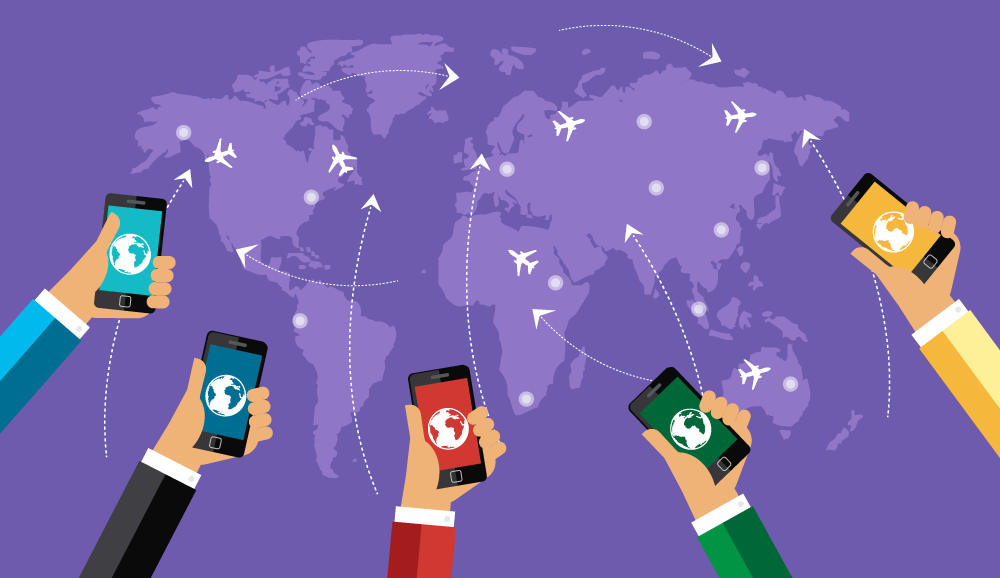
When the internet disappears, local networks can still thrive.
A. Mesh Networking Explained
A mesh network allows devices to connect directly to each other, forming a decentralized network without a central ISP.
Use cases:
- Community communication
- Emergency coordination
- Campus or neighborhood networks
B. Mesh & Decentralized Apps
BitChat
- Peer‑to‑peer encrypted messaging
- Works over local networks
- Resistant to censorship
Briar
- Bluetooth, Wi‑Fi, Tor‑based messaging
- Ideal for journalists and activists
Bridgefy
- Bluetooth‑based mesh messaging
- Effective in crowds and urban settings
Manyverse / Secure Scuttlebutt
- Decentralized social networking
- Offline‑first design
C. Community Mesh Infrastructure
More advanced setups include:
- Open‑source routers (OpenWRT)
- Community Wi‑Fi nodes
- Local content servers (intranets)
Examples include community networks in rural Africa and disaster‑response mesh systems.
8. Financial Survival During Shutdowns
A. Keep USSD Codes Handy
In Uganda and many African countries, mobile money via USSD often still works.
Examples:
- MTN MoMo: *165#
- Airtel Money: *185#
Always memorize or save these codes offline.
B. Cash Is Still King
During extended shutdowns:
- Keep some emergency cash
- Plan expenses early
- Avoid last‑minute digital‑only payments
7. Security, Safety, and Misinformation
Shutdowns often increase:
- Rumors
- Panic
- Fake news
Best Practices:
- Verify information through multiple sources
- Avoid sharing unconfirmed news
- Protect sensitive data on your devices
8. Long‑Term Digital Resilience Strategies
To truly stay online‑ready:
- Advocate for digital rights and the open internet
- Support community networks and mesh Wi‑Fi initiatives
- Learn basic networking and offline tech skills
- Build platforms that work in low‑connectivity environments
Final Thoughts: Staying Connected Is a Skill
Internet shutdowns are disruptive, but they don’t have to make you powerless.
With the right tools, habits, and community networks, you can:
- Stay informed
- Stay productive
- Stay safe
Digital resilience is no longer optional; it’s a 21st‑century survival skill, especially in emerging economies.
If you found this guide useful, share it offline, print it, or save it, because the internet isn’t always guaranteed.